
Explore key tools, smart features, and expert insights...
Enterprises today need IT solutions that are flexible, secure, cost-efficient, and sustainable. Traditional hardware-heavy setups are being replaced by cloud-first models, with ChromeOS Flex at the forefront. By repurposing existing devices and pairing with the ChromeOS Readiness Tool, organizations can modernize their infrastructure while maintaining agility and control.
ChromeOS Flex transforms how enterprises manage devices by enabling installation on older PCs and Macs. Key advantages include:
Cost Savings & Sustainability – Extend device lifecycles, reduce hardware spend, and cut e-waste. ChromeOS devices also use less energy than traditional machines.
Built-in Security – Multi-layered protection through sandboxing, verified boot, and automatic updates reduces the need for third-party security solutions.
Cloud-Native Collaboration – Employees can work anywhere, with seamless integration into Google Workspace for real-time productivity.
Easy Deployment & Scale – Zero-touch enrollment and centralized management simplify provisioning, onboarding, and scaling across thousands of devices.
The ChromeOS Readiness Tool provides the intelligence IT teams need to transition smoothly:
Compatibility Assessment – Analyzes Windows apps, devices, and peripherals, categorizing them as ChromeOS-ready, Possibly Ready, or Blocker. Devices are flagged as Ready to Switch, Ready with Verification, or Blocked from Switching.
Virtualization Guidance – For applications not natively supported, the tool recommends virtualization solutions like Cameyo to ensure continuity.
Browser Insights – Delivers visibility into browser and extension usage, helping IT manage risks and standardize environments.
Actionable Recommendations – Goes beyond raw data with tailored advice to support informed decision-making.
The ChromeOS Readiness Tool adapts to different enterprise setups:
Enterprise Flow – For Active Directory and GPO environments, with automated data collection via on-premise or cloud storage.
Other Deployment Flow – For UEM-driven, cloud-based environments without Active Directory, with manual setup options.
All data stays within the organization’s NSF or in GCP (if chosen), safeguarded by encryption. Access requires a private key generated during deployment, ensuring only authorized users can view readiness details.
ChromeOS Flex and the ChromeOS Readiness Tool together provide a clear path for IT modernization. By extending hardware life, strengthening security, and simplifying management, enterprises can confidently reduce costs and future-proof operations. The ChromeOS Readiness Tool delivers not just compatibility checks, but a strategic blueprint for migration.
Begin your journey at chromeosreadinesstool.com and see how the ChromeOS Readiness Tool can accelerate your move to ChromeOS Flex.
Enterprise IT is at a turning point. Traditional models, anchored in on-premise infrastructure, costly refresh cycles, and complex security stacks, are being replaced by cloud-first, user-centric approaches. A ChromeOS-first world accelerates this shift, redefining how IT departments deliver value, faster, leaner, and more securely.
Cost-Efficient, Sustainable Modernization With ChromeOS Flex, enterprises can repurpose existing PCs and Macs instead of discarding them. This not only reduces capital expenditure but also extends hardware life and cuts e-waste. Automatic updates and lower energy consumption drive both financial and environmental sustainability.
Security Built In ChromeOS brings multi-layered protection by default, sandboxing, verified boot, and automated patching. Unlike legacy systems that rely heavily on third-party tools, this built-in approach minimizes vulnerabilities while freeing IT teams to focus on strategic security initiatives.
Cloud-Native Collaboration ChromeOS integrates seamlessly with Google Workspace, enabling secure access to work from anywhere and real-time collaboration across Meet, Gmail, Docs, and more. IT shifts its role from maintaining infrastructure to orchestrating secure access and optimizing cloud service delivery.
Simplified Deployment and Management Features like zero-touch enrollment and centralized, cloud-based policy management significantly reduce administrative effort. Employees can be onboarded in minutes, while IT gains full control through a unified management console.
Scalable by Design Whether deploying hundreds or thousands of devices, ChromeOS scales without adding complexity. Consistent policies, remote updates, and integration with VDI solutions ensure IT can grow seamlessly alongside business needs.
Adopting a ChromeOS-first approach requires visibility into the current IT landscape. The ChromeOS Readiness Tool provides that visibility by:
Assessing application and device readiness: It categorizes apps as ChromeOS Ready, Possibly Ready, Blocker, or Unknown, and devices as Ready to Switch, Ready with Verification, or Blocked from Switching.
Delivering actionable insights: Browser and extension usage reports highlight risks and compatibility gaps, guiding IT teams to streamline and secure transitions.
Supporting flexible deployment: Offers both enterprise (Active Directory/GPO) and cloud-native flows, aligning with each organization’s infrastructure.
Ensuring data security: With AES and RSA encryption plus GDPR compliance, ChromeOS Readiness Tool safeguards sensitive migration data.
Providing intuitive dashboards: Readiness scores, compatibility breakdowns, and virtualization recommendations (e.g., Cameyo for blockers) help IT plan migrations with precision.
A ChromeOS-first world is not just about new devices; it’s about transforming enterprise IT into a cloud-native, secure, and scalable enabler of innovation. ChromeOS provides the foundation, while the ChromeOS Readiness Tool ensures migrations are informed, compliant, and low-risk. Together, they enable IT to evolve from maintenance-heavy operations to strategic drivers of business growth.
In a rapidly evolving digital era, enterprises need IT infrastructures that are not only secure and resilient but also flexible enough to adapt to future challenges. Transitioning to cloud-based operating systems is a crucial step in achieving this goal. With Chrome OS, Google’s cloud-native operating system, and the Chrome OS Readiness Tool, organizations gain the agility, security, and analytics required to modernize confidently and stay future-ready.
ChromeOS is more than an operating system, it’s a strategic enabler of digital transformation. Here’s how it strengthens IT for the long term:
Cloud-Native Agility and Scalability: Built for the cloud, ChromeOS allows employees to work from anywhere, on any device. Seamless integration with cloud services and VDIs ensures enterprises can scale without legacy constraints.
Security by Design: With sandboxing, verified boot, and automatic updates, ChromeOS minimizes malware and cyber risks, delivering long-term protection.
Cost Efficiency and Sustainability: ChromeOS Flex extends the life of existing hardware, reducing e-waste and hardware spend. Devices consume less energy and receive updates, aligning with financial and environmental goals.
Simplified Deployment and Management: Zero-touch enrollment and centralized management cut IT overhead, making device rollout and monitoring more efficient.
Transitioning to ChromeOS requires informed planning. The ChromeOS Readiness Tool provides comprehensive compatibility assessments across applications, devices, and peripherals, delivering the insights IT teams need to build a smooth migration roadmap.
Clear Compatibility Insights: Applications are classified as Chrome Ready, Possibly Ready, or Blockers. Devices are categorized as Ready to Switch, Ready with Verification, or Blocked from Switching. This structured view enables strategic decisions and highlights where virtualization or replacements are needed.
Secure Data Handling: All data collected remains under your organization’s control. Strong encryption ensures privacy, with only authorized personnel able to access readiness results.
Flexible Deployment Options: The tool adapts to different infrastructures, supporting Active Directory with on-premise storage or cloud-based setups with GCP storage buckets or Other Deployment Options that focus on UEMs
Intuitive Dashboards: Partner and Pro dashboards provide readiness scores, real-time device insights, and browser data to guide IT teams with actionable intelligence.
Continuous Evolution: With regular updates, the tool’s analytics grow stronger. Upcoming features include Workspace compatibility insights, app usage statistics, and mapping to Workspace alternatives, keeping it aligned with future enterprise needs.
Future-proofing IT infrastructure requires more than upgrades; it demands a forward-looking strategy. ChromeOS delivers cloud-native agility, built-in security, and cost-effective sustainability, while the ChromeOS Readiness Tool provides the analytics to plan and execute migration with confidence. Together, they empower enterprises to modernize their IT environments and prepare for what’s next.
Start your journey toward a smarter, more resilient IT future with ChromeOS and the ChromeOS Readiness Tool today.
Enterprises today are under constant pressure to modernize IT infrastructure while keeping costs under control. For many, ChromeOS Flex offers the ideal solution, breathing new life into existing PCs and Macs, reducing hardware spend, and delivering cloud-native security. But a successful migration requires clarity on application compatibility, device readiness, and potential blockers. This is where the ChromeOS Readiness Tool becomes highly valuable, providing the insights IT leaders need to ensure a smooth, cost-effective transition.
The ChromeOS Readiness Tool is a comprehensive assessment solution that evaluates your IT environment before migration. It analyzes:
Application usage: Categorizing apps as ChromeOS Ready, Possibly Ready, Blockers, or Unknown.
Device readiness: Classifying devices as Ready to Switch, Ready with Verification, or Blocked from Switching.
Peripheral integration: Identifying compatibility of connected hardware.
It also recommends virtualization (e.g., Cameyo) for apps that can’t run natively, preventing disruptions after migration.
The tool helps maximize return on investment through:
Enterprise Installation (Enterprise Flow): Best for Active Directory environments with on-prem infrastructure.
Other Installation: Optimized for UEM and cloud-based environments without Active Directory.
High-level readiness insights and detailed compatibility breakdowns.
Browser Insights shows browser versions, usage, and extensions across your organization.
Pro and Partner dashboards for deeper reporting and tailored insights.
Data is encrypted and remains within your organization.
Access requires the private key generated at deployment, ensuring that only authorized IT admins can view readiness details.
Recommendations are tailored to your specific environment, helping you avoid hidden migration costs and delays.
Using the ChromeOS Readiness Tool in your ChromeOS Flex migration delivers measurable returns:
Hardware Cost Savings & Sustainability Extend the life of existing devices, reduce e-waste, and avoid large-scale hardware refreshes. ChromeOS Flex devices also consume up to 46% less energy, lowering operational costs.
Predictable Migration By identifying challenges early, the tool removes guesswork, enabling a streamlined, disruption-free transition.
Time & Resource Efficiency Reduces downtime and IT workload by flagging blockers and providing alternatives before migration begins.
Enhanced Security Combined with ChromeOS security (sandboxing, verified boot, automatic updates), the tool’s secure handling of data strengthens enterprise defenses while reducing reliance on costly third-party solutions.
Future-Proof IT Strategy ChromeOS Flex supports zero-touch enrollment, centralized management, and scalability, ensuring long-term adaptability in evolving digital environments.
Modernizing with ChromeOS Flex doesn’t have to be complex. The ChromeOS Readiness Tool provides the insights you need, from deployment flexibility to actionable dashboards and secure, compliant data handling.
Visit chromeosreadinesstool.com to schedule a demo, explore deployment options, and start building a smarter, cost-efficient migration strategy today.

Organizations transitioning to cloud-based environments, such as ChromeOS and Google Workspace, require clarity on application and device compatibility. The ChromeOS Readiness Tool provides that clarity by analyzing applications, devices, and peripherals to guide smooth, cost-effective migrations.
Most applications receive a clear status, Chrome Ready, Possibly Ready, or Blocker. But sometimes, IT teams encounter the ‘Unknown’ status, which can raise questions.
An application marked as ‘Unknown’ is not unsupported. Instead, it signals that the compatibility database is being updated. The ChromeOS Readiness Tool is designed to evolve, and the ‘Unknown’ status represents an active stage in this ongoing process.
In short, it means:
The tool doesn’t yet have enough verified data on that application.
The database is being refined with new compatibility insights.
A clearer status will be available as updates roll out.
The ‘Unknown’ category exists because the tool is constantly improving. The team behind the ChromeOS Readiness Tool regularly updates its database to deliver more accurate results:
Integrating new solutions – For example, recommending virtualization methods (like Cameyo) when direct compatibility isn’t possible.
Adding compatibility data – Incorporating real-world application performance results to move apps from ‘Unknown’ to a defined status.
Enhancing accuracy – Continuously refining assessments to ensure IT teams get reliable, actionable insights.
For IT teams planning a transition to ChromeOS and Google Workspace, these updates bring clear benefits:
Reduced uncertainty – Fewer apps left in the ‘Unknown’ stage.
Smarter migration plans – Better data leads to fewer surprises and smoother rollouts.
Up-to-date guidance – Organizations always work with the most current compatibility information.
To make the most of these improvements, organizations should:
Enable notifications to stay updated on new features and database updates.
Check the “What’s New” section on the ChromeOS Readiness Tool website for information about the releases done to the tool.
The ‘Unknown’ status is not a barrier, it’s proof that the ChromeOS Readiness Tool is evolving. By continuously updating its compatibility database, the tool ensures IT teams have the most accurate, reliable, and current insights for migration planning.
With this dynamic approach, organizations can move to ChromeOS and Google Workspace with confidence, knowing they’re backed by a tool that grows smarter every day.
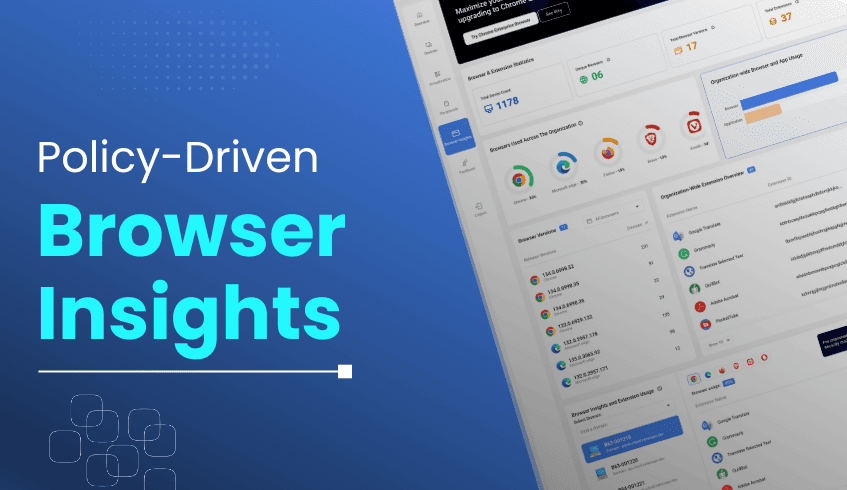
As organizations modernize their IT environments, understanding how employees use web browsers and extensions is critical for a smooth transition to ChromeOS. The ChromeOS Readiness Tool addresses this need with its Browser Insights feature, providing a secure, transparent, and policy-driven way to derive insights from the browser usage data.
Browser Insights delivers a comprehensive view of browser and extension activity across the organization, helping IT teams improve visibility and manage their browser environment more effectively. Key data points include:
Browser Usage – Which browsers (Chrome, Edge, Firefox, Opera, Vivaldi, Brave) are being used.
Browser Versions – Details on deployed versions across devices.
Extensions – Usage patterns, version IDs, and lists of devices tied to each extension.
Browser Insights operates with administrator approval and policy alignment. During deployment, admins can choose to enable the feature, ensuring data is collected only with organizational consent.
Security is central to the process:
Data is encrypted locally before transfer.
It is stored securely in the organization’s chosen location (such as a GCP Cloud bucket or network folder).
Access is restricted to authorized personnel via encryption keys.
This ensures that sensitive information remains protected while offering IT teams the visibility they need.
By combining compliance with actionable insights, Browser Insights enables:
Stronger Security – Identifies unauthorized or risky extensions before they become threats.
Simplified Management – Centralized visibility helps IT enforce browser policies consistently.
Migration Confidence – Provides a clear picture of compatibility, streamlining the move to ChromeOS.
The Browser Insights feature of the ChromeOS Readiness Tool empowers organizations with secure, admin-controlled data collection and actionable visibility into their web environments. With these insights, IT leaders can identify risky extensions, ensure compliance, and optimize browser usage to create a safer and more efficient digital workplace.
In today’s enterprise environments, IT teams face the dual challenge of securing devices and ensuring smooth operations across diverse ecosystems. The ChromeOS Readiness Tool plays a pivotal role in this effort, helping organizations assess readiness for both ChromeOS and ChromeOS Flex. By analyzing application usage and device readiness, the ChromeOS Readiness Tool delivers actionable insights to identify vulnerabilities before migrating to ChromeOS. These insights enable IT leaders to strengthen a secure migration and plan a more seamless migration strategy.
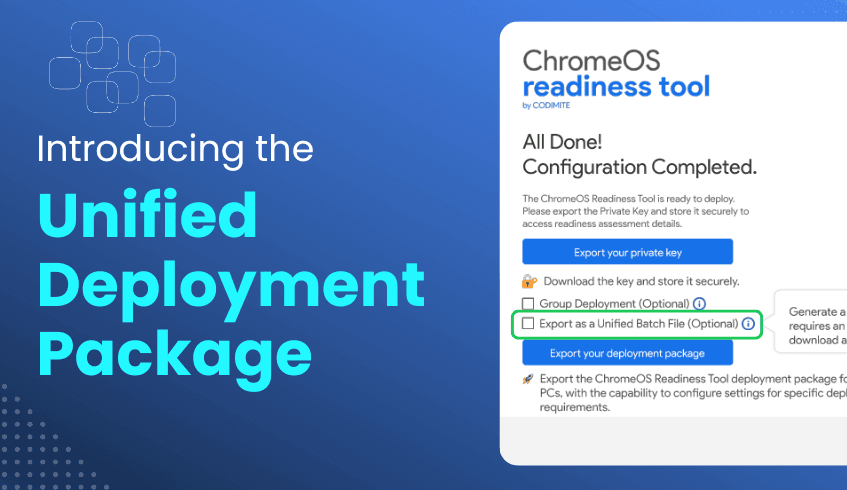
While the ChromeOS Readiness Tool’s assessment capabilities are highly valued, deploying it across varied IT infrastructures, especially those relying on Unified Endpoint Management (UEM) platforms, has sometimes been a hurdle. To address this, we are introducing the Unified Deployment Package, a simplified, highly compatible installation method that eliminates complexity and expands ChromeOS Readiness Tool’s accessibility across enterprise environments.
The Unified Deployment Package is designed to make deployment straightforward and efficient. Delivered as a single, self-contained batch file, it combines the PowerShell script and MSI installer into one executable flow. This batch-based installation ensures full compatibility with UEM platforms that support batch deployment, removing prior limitations to setups. The result is a cleaner, more reliable deployment process that integrates seamlessly into enterprise workflows.
The Unified Deployment Package offers clear advantages for IT administrators:
Broader UEM Compatibility – Tailored for UEM platforms using batch deployment, ensuring ChromeOS Readiness Tool can be delivered across managed Windows devices without compatibility barriers.
Simplified Installation – By packaging all components together, it reduces manual steps and accelerates deployment.
Improved Reliability – Automation minimizes the risk of failed installs, leading to more consistent outcomes.
The Unified Deployment Package reflects our ongoing commitment to making the ChromeOS Readiness Tool easier to adopt and more impactful. By removing deployment friction, it enables IT teams to focus on what matters most while ensuring a secure migration, reducing vulnerabilities, and accelerating the transition to ChromeOS.
This new feature is now available under “Other Deployment Options” in the latest ChromeOS Readiness Tool release. We encourage organizations and partners to take advantage of this enhancement to unlock faster, more reliable assessments and drive digital transformation with confidence.
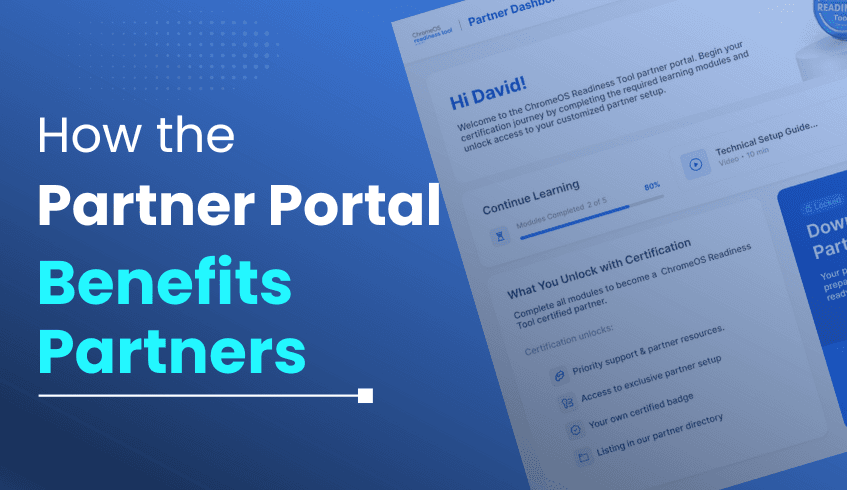
In today’s digital landscape, success depends not just on great tools but also on knowledgeable partners who can guide customers with confidence. The ChromeOS Readiness Tool Partner Portal is designed exclusively for partners, providing them with the training and resources they need to effectively present the ChromeOS Readiness Tool to their customers.
The portal includes structured training materials, reference content, and guidance to help partners build deep expertise. This ensures that when customers raise questions or concerns, partners are well-prepared to deliver accurate answers and position the ChromeOS Readiness Tool effectively. In short, the Partner Portal equips partners with the knowledge and confidence to become trusted advisors in ChromeOS migrations.
For partners, the ChromeOS Readiness Tool Partner Portal provides a structured path to expertise and business expansion:
Certification & Training Partners gain access to mandatory training modules, designed to build deep knowledge of ChromeOS Readiness Tool’s features and deployment processes. Completion leads to official certification, positioning partners as trusted experts capable of delivering seamless migrations.
Customized Setup Certified partners receive their own setup file for the ChromeOS Readiness Tool, ensuring all customer assessments are tracked through their portal. This guarantees accurate insights and eliminates the risks of using generic setups. The Partner Dashboard then delivers detailed readiness data, enabling precise customer recommendations.
Customer Management & Branding Partners can streamline assessments by choosing storage options such as pre-created Google Cloud Storage buckets. Additionally, partner logos are featured on the ChromeOS Readiness Tool official website in the partner section, showcasing their expertise and enhancing their brand credibility.
The ChromeOS Readiness Tool Partner Portal ensures that partners are well-prepared through structured training and resources. By studying the materials provided in the portal, partners gain the knowledge and confidence needed to guide their customers effectively. As a result, customers benefit from expert-led support throughout their ChromeOS migration journey, receiving clear answers, tailored recommendations, and informed guidance from trained partners. This strengthens the customer experience while helping partners grow their expertise and credibility.
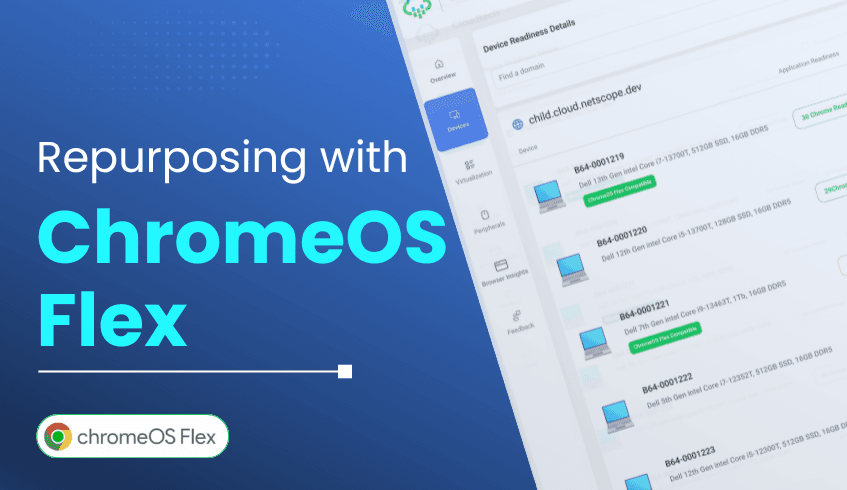
Organizations often struggle with extending the life of aging hardware while managing devices and controlling costs. ChromeOS Flex provides a solution by repurposing existing devices into modern, secure, and sustainable systems. By checking the compatibility of their current device fleet, organizations can easily install ChromeOS Flex on eligible devices, making the ChromeOS Readiness Tool an essential resource.
When it comes to device readiness, the ChromeOS Readiness Tool evaluates compatibility for ChromeOS Flex by referencing a dedicated list of supported device models. During the scan, each device model in the environment is matched against this compatibility list.
If the model is included, the device is marked as ChromeOS Flex compatible.
If not, it will be categorized accordingly, giving IT teams clarity on which devices can be repurposed.
This model-based approach ensures accuracy and simplifies decision-making for hardware reuse. Devices confirmed as compatible can be seamlessly transitioned to ChromeOS Flex, extending their lifespan and aligning them with modern security and management standards.
When combined with insights from the ChromeOS Readiness Tool, ChromeOS Flex enables organizations to modernize confidently:
Stronger Security Posture: ChromeOS Flex enforces automatic updates, sandboxes applications, and supports secure VPN solutions from providers like Cisco, Zscaler, and Fortinet. For instance, Strawberry Hotels recovered from a ransomware attack in under 48 hours by converting 2,000 Windows devices to ChromeOS Flex, avoiding costly downtime across 200 hotels.
Cost Savings & Sustainability: Repurposing hardware reduces capital expenses and environmental impact. Strawberry Hotels saved US$6.7 million while cutting 1.5 million kilos of CO₂ emissions. Similarly, Foundations Health Solutions achieved $1 million in savings through ChromeOS adoption.
Simplified Deployment: Remote deployment allows Windows devices to convert to ChromeOS Flex from anywhere, with minimal IT involvement. Even large-scale conversions can be completed in hours, with each installation taking around 10 minutes.
The ChromeOS Readiness Tool is more than a scanner; it’s a strategic decision-making asset. By clearly mapping device health and vulnerabilities, the tool helps organizations prioritize where ChromeOS Flex will have the greatest impact. The result is a stronger security posture, extended hardware value, reduced IT complexity, and measurable sustainability gains.
Ready to see where your fleet stands? Start with the ChromeOS Readiness Tool and take the first step toward a secure, cloud-first enterprise powered by ChromeOS Flex.